HDSentinel(硬盘哨兵)远程查看NAS/Linux磁盘健康度等信息
先前介绍过使用 Scrutiny 查看 Linux 下磁盘信息
但因 Windows 下一直使用的是 HDSentinel(硬盘哨兵) 实现
且 HDSentinel(硬盘哨兵) 汇总的健康度信息也有一定的参考价值
遂使用 HDSentinel(硬盘哨兵) 远程查看 Linux 磁盘健康度
部署环境
OS

HDSentinel
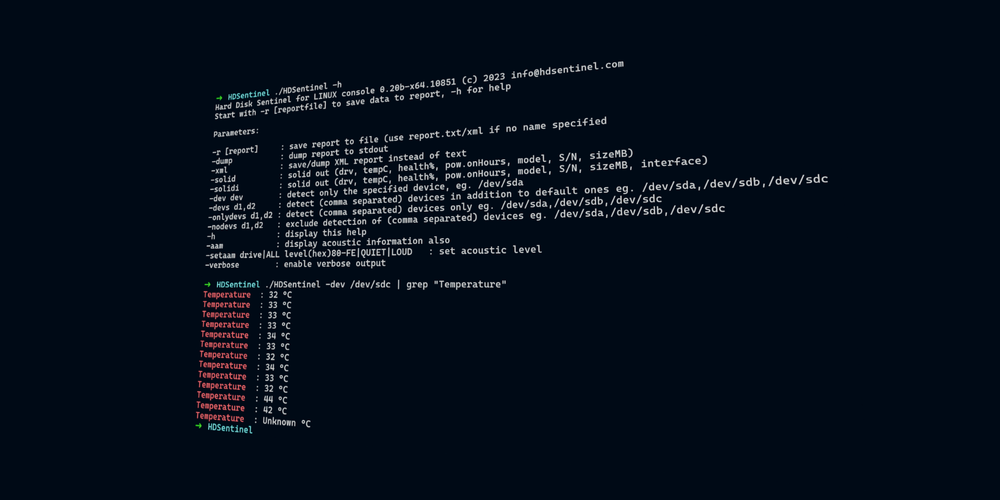
➜  ./HDSentinel -h
Hard Disk Sentinel for LINUX console 0.20b-x64.10851 (c) 2023 [email protected]
Start with -r [reportfile] to save data to report, -h for help

Parameters:

-r [report]     : save report to file (use report.txt/xml if no name specified
-dump           : dump report to stdout
-xml            : save/dump XML report instead of text
-solid          : solid out (drv, tempC, health%, pow.onHours, model, S/N, sizeMB)
-solidi         : solid out (drv, tempC, health%, pow.onHours, model, S/N, sizeMB, interface)
-dev dev        : detect only the specified device, eg. /dev/sda
-devs d1,d2     : detect (comma separated) devices in addition to default ones eg. /dev/sda,/dev/sdb,/dev/sdc
-onlydevs d1,d2 : detect (comma separated) devices only eg. /dev/sda,/dev/sdb,/dev/sdc
-nodevs d1,d2   : exclude detection of (comma separated) devices eg. /dev/sda,/dev/sdb,/dev/sdc
-h              : display this help
-aam            : display acoustic information also
-setaam drive|ALL level(hex)80-FE|QUIET|LOUD   : set acoustic level
-verbose        : enable verbose output

➜
Samba
Information for package samba:
------------------------------
Repository     : repo-oss (15.6)
Name           : samba
Version        : 4.19.5+git.342.57620c4f7e-150600.1.18
Arch           : x86_64
Vendor         : SUSE LLC <https://www.suse.com/>
Installed Size : 4.9 MiB
Installed      : Yes
Status         : out-of-date (version 4.19.5+git.342.57620c4f7e-150600.1.14 installed)
Source package : samba-4.19.5+git.342.57620c4f7e-150600.1.18.src
Upstream URL   : https://www.samba.org/
Summary        : A SMB/CIFS File, Print, and Authentication Server
Description    :
    Samba is a suite of programs that allows SMB/CIFS clients to use the
    Unix file space, printers, and authentication subsystem.

    The package named samba contains all programs that are needed to act as
    a server.  The binaries expect the configuration file to be found in
    /etc/samba/smb.conf

    For a more detailed description of Samba, check the samba-doc package
    or the Samba.org Web page at https://www.Samba.org/

    Please check https://en.openSUSE.org/Samba for general information on
    Samba as part of SUSE Linux Enterprise or openSUSE products, links to
    binary packages of the most current Samba version, and a bug reporting
    how to
实现原理
Linux下HDSentinel输出一个HTML格式的磁盘信息报告
而后通过Samba分享至Windows下的HDSentinel
实现步骤
下载HDSentinel二进制文件
HDSentinel Linux版本Free
🔽 链接如下 🔽
Hard Disk Sentinel - Free Linux version
Hard Disk Sentinel Linux edition free console version

安装并配置Samba
安装就不过多阐述了
Linux发行版+Samba+Install三个关键字输入Google或者问ChatGPT即可
配置
Samba的配置文件在/etc/samba/smb.conf
配置文件分为两部分
-
全局参数
-
共享资源
这里贴一下我自己的参数
-
全局参数
workgroup = WORKGROUP server string = A SMB/CIFS File, Print, and Authentication Server netbios name = HomeLab interfaces= 10.7.7.7 keepalive= 600 log file=/var/log/samba/log.%m log level=3 passdb:5 auth:10 winbind:2 bind interfaces only = yes- 释义
- workgroup 顾名思义就是工作组
- netbios name 主机名称
- server string 一段说明文字
- interfaces 监听接口
- keepalive 保持时间
- log file 日志文件
- log level 日志等级
- bind interfaces only 是否仅监听上述接口
- 释义
-
共享资源
[HDSentinel] comment = HDSentinel path = /opt/HDSentinel/share valid users = hdsentinel writeable = yes browseable = yes guest ok = yes- 释义
- [HDSentinel] 这表示共享资源的名称。方括号中的内容定义了共享的名称,在连接 Samba 时,这个名称将显示给客户端
- comment 这提供了关于共享资源的简短描述或注释。通常用于在网络浏览时为共享提供更多信息
- path 这是共享资源在服务器上的路径。它指示 Samba 哪个目录被共享
- valid users 这个选项指定了允许访问该共享的用户列表。在这个例子中,只有用户 hdsentinel 被授权访问该共享。可以使用逗号分隔多个用户名称
- writeable = yes 这个选项指示共享资源是否可以写入。如果设置为 yes,则允许用户在共享资源中创建、修改和删除文件。如果设置为 no,则共享是只读的
- browseable = yes 这个选项指定共享资源是否可以在网络浏览器中看到。如果设置为 yes,则共享将显示在网络浏览器列表中。如果设置为 no,则共享是隐藏的,但仍然可以通过直接访问路径进行连接
- guest ok = yes 这个选项指定是否允许匿名访问。如果设置为 yes,则任何用户都可以访问共享,而不需要提供用户名和密码。这通常用于公共共享,但可能带来安全风险
- 释义
以上参数仅供参考,请根据自身情况增删改查
启动Samba
使用以下命令启动Samba服务
systemctl start smb.service
至此我们便启用了Samba服务并将/opt/HDSentinel/share这个目录分享了出去
定时生成HTML文件
上述步骤我们已经成功的分享了目录
现在我们需要使用Linux下的定时任务让HDSentinel定时检查磁盘并生成HTML文件到指定分享目录
-
编辑Crontab
crontab -e -
写入以下内容,释义为每十分钟检查一次磁盘信息并将其放在指定文件夹内
*/10 * * * * /opt/HDSentinel/HDSentinel -r /opt/HDSentinel/share/hdsreport.html -html -
查看此定时任务是否存在
crontab -l
配置Windows端HDSentinel
-
打开Windows端HDSentinel,左上角依次点击 文件 配置NAS监控
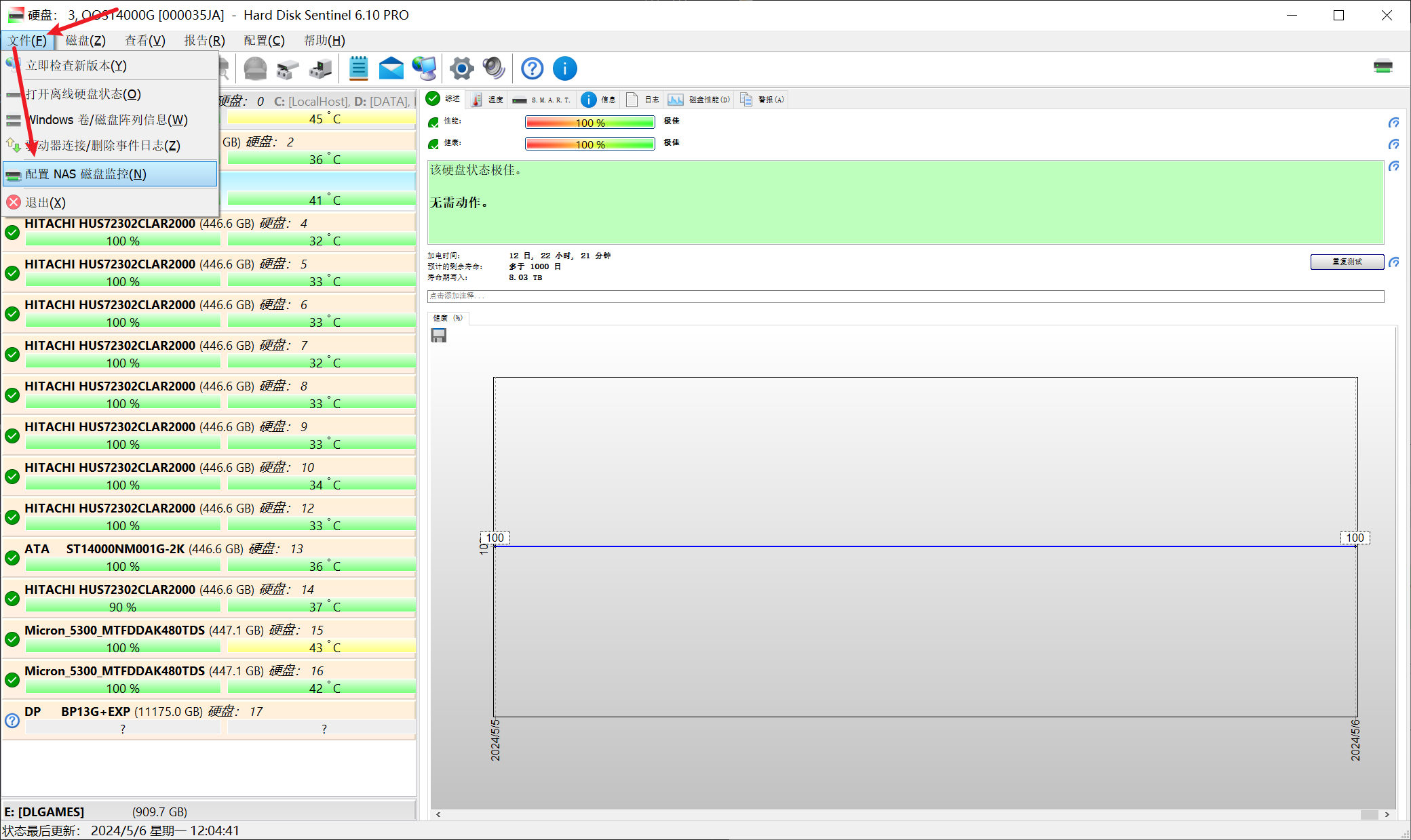
-
打开对话框后单击右侧编辑按钮,输入UNC路径(Samba),分别是Samba服务器地址和共享资源的名称,记得加上hdsreport.html
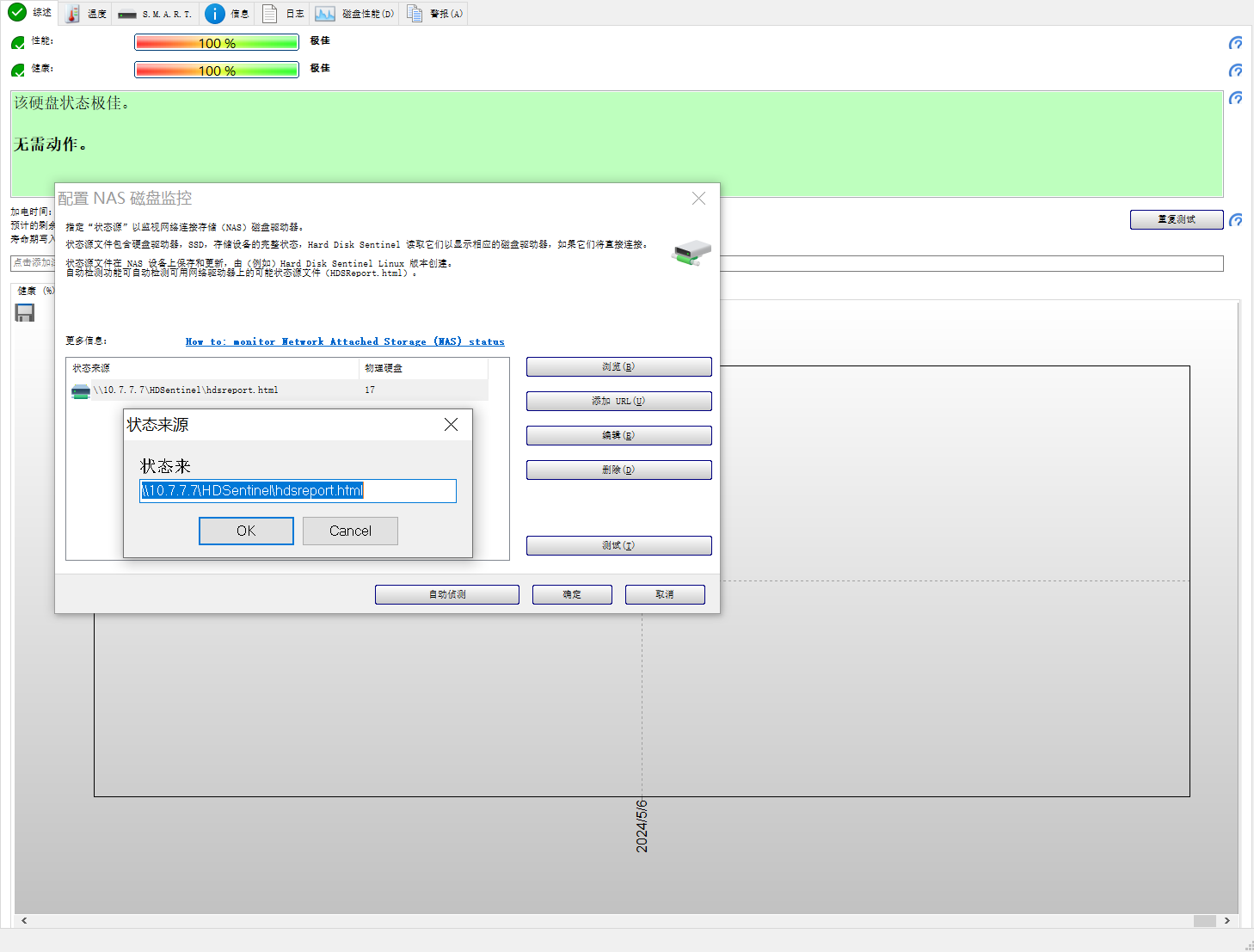
-
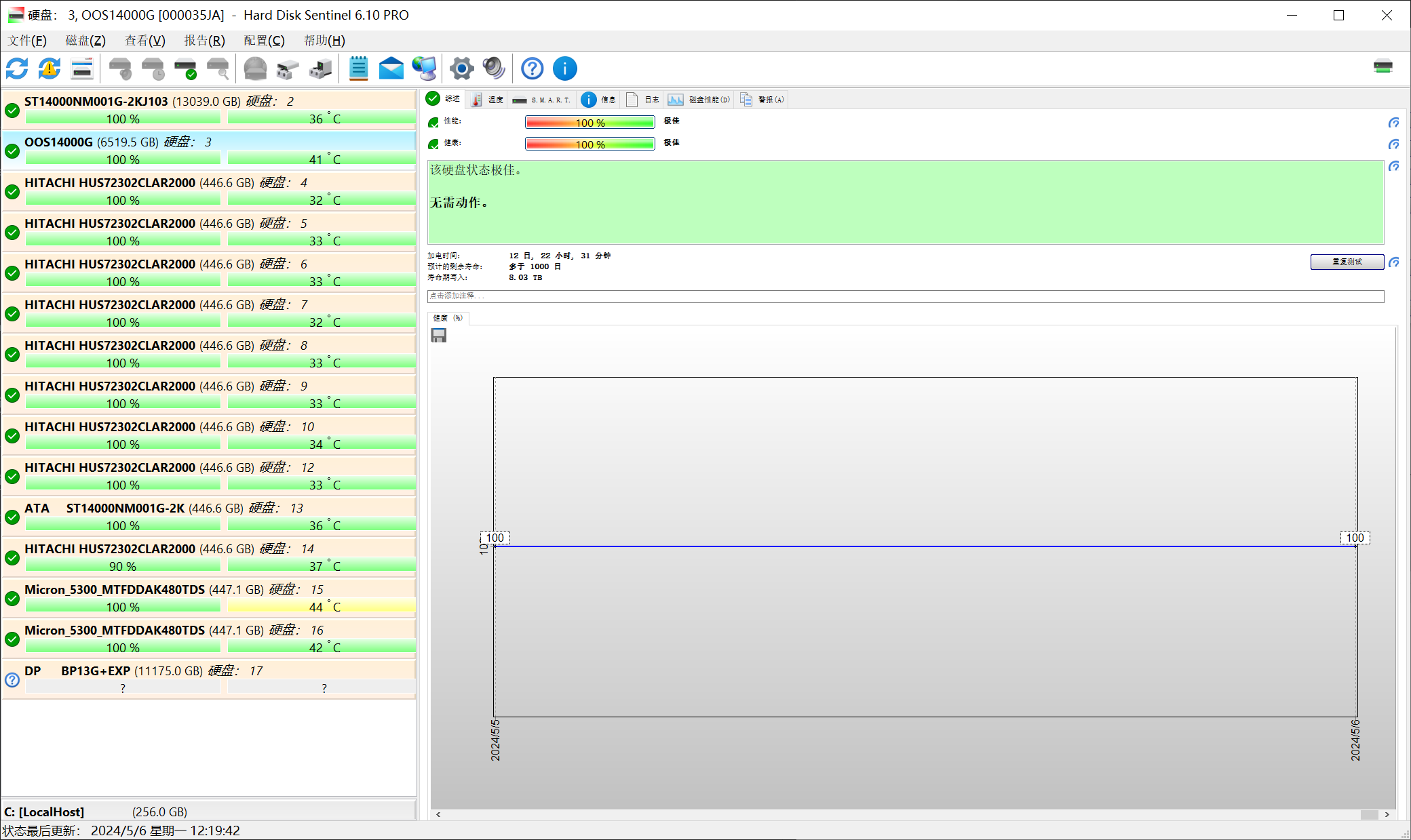
HDSentinel能够正常识别过RAID卡和RAID以后的驱动器信息,如下HomeLab使用八块3T硬盘组RAID50后,还可以正常识别每一块磁盘
Thanks & Copy
How to: monitor Network Attached Storage (NAS) status
Tutorial to set up monitoring hard disk status of Network Attached Storage (NAS) drives