All In One By Linux (openSUSE) | DHCP 服务器 (Server) 配置和使用(PXE+Pool+IP&MAC)
First | 序
最近想要记录一些 All In One By Linux 折腾历程
上篇介绍了 PPPOE & Basic route setup
🔽 🔽 🔽
这篇记录一下 DHCP 服务器的配置和使用过程
What is DHCP ? | 什么是 DHCP
DHCP服务器(Dynamic Host Configuration Protocol,动态主机配置协议服务器)是一个网络服务,它自动为设备(如计算机、手机、打印机等)分配网络参数,使这些设备能够在网络中通信。DHCP 服务器的主要功能是为设备提供以下信息:
- IP地址:分配给每台设备的唯一地址,用于在网络中进行通信。
- 子网掩码:用于确定网络部分和主机部分的划分。
- 网关地址:设备与外部网络(如互联网)通信时的默认路由。
- DNS服务器地址:用于将域名(如
www.example.com)解析为IP地址。
DHCP工作原理
DHCP 是一种客户端-服务器协议,主要通过以下过程进行工作:
-
发现(Discover):当客户端(例如新连接到网络的电脑)启动时,它会发送一个广播请求,试图找到一个可用的 DHCP 服务器。
-
提供(Offer):DHCP 服务器接收到客户端的请求后,会提供一个未分配的IP地址,以及其他相关的网络参数,并发送回客户端。
-
请求(Request):客户端接收到 DHCP 服务器的响应后,选择其中一个 DHCP 提供的 IP 地址,并请求租用该地址。
-
确认(Ack):DHCP 服务器确认了客户端的请求,并将 IP 地址分配给客户端,同时通知客户端该地址的租赁期(租期可能是几小时、几天等)。
DHCP的优势
- 自动化:不需要管理员手动为每台设备配置网络参数。
- 灵活性:设备在网络上移动时可以自动获取新的 IP 地址。
- IP 地址管理:DHCP 服务器通过 IP 地址租赁机制来管理地址池,确保 IP 地址不会冲突或被浪费。
使用场景
- 家庭网络:路由器通常充当 DHCP 服务器,分配家中所有设备的 IP 地址。
- 企业网络:企业网络中的 DHCP 服务器为成百上千的设备分配和管理 IP 地址。
- 公共网络:如咖啡馆、机场等公共 Wi-Fi 网络中,DHCP 服务器用于分配临时 IP 地址。
通过 DHCP,网络管理员可以轻松地管理网络中的设备,并确保所有设备都有正确的网络配置。
以上释义来自ChatGPT
Version | 版本
OS | 系统

dhcp-server
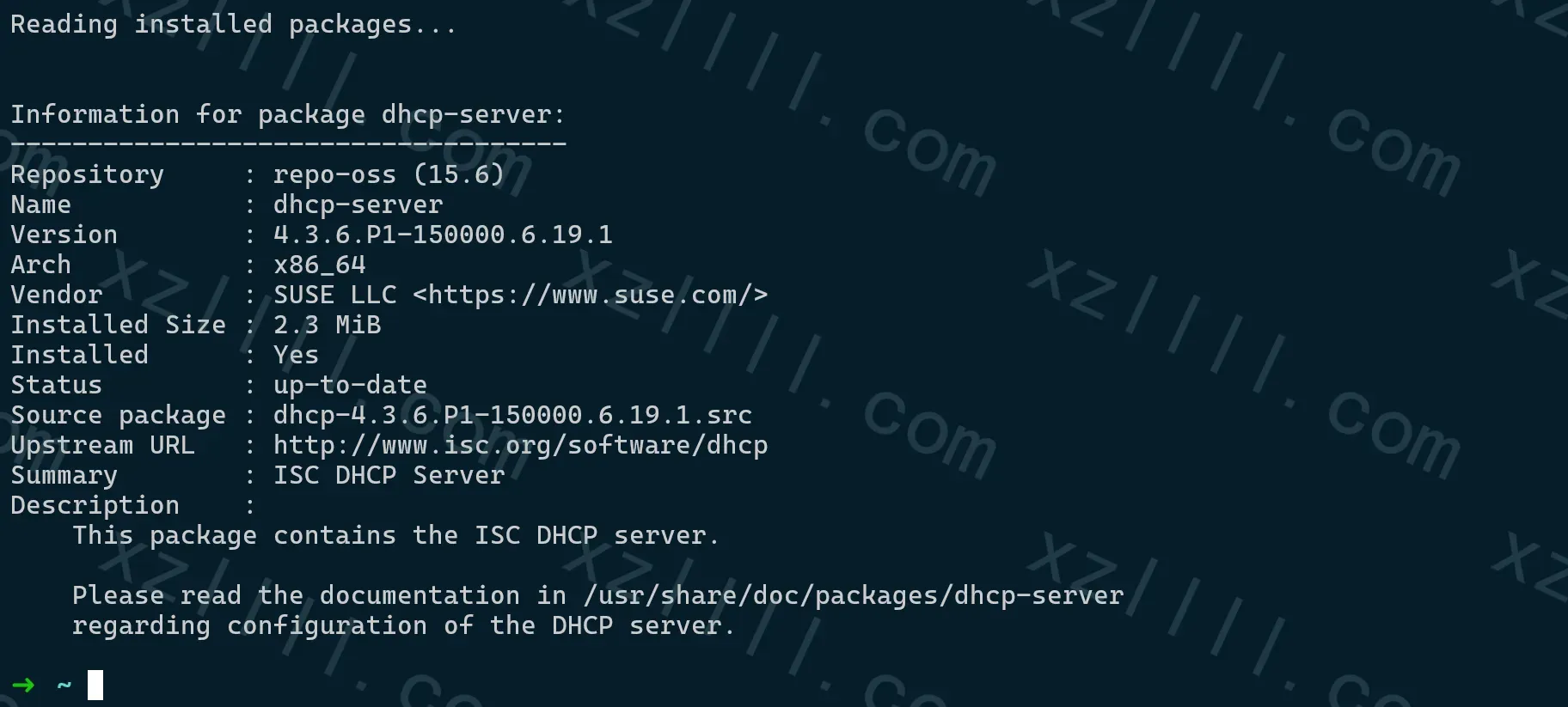
Install | 安装
Linux 上最常用的 DHCP 服务器软件是 isc-dhcp-server
只需使用对应的包管理器安装isc-dhcp-server即可
Debian
sudo apt-get install isc-dhcp-server
CentOS
sudo dnf install dhcp-server
SUSE
sudo zypper install dhcp-server
Deploy | 配置
安装完成以后
需要配置DHCP服务器 需要修改两个文件
- /etc/dhcpd.conf
- /etc/sysconfig/dhcpd
RPM 系配置文件路径如上 不同的系统配置路径可能有差异
/etc/dhcpd.conf
▲ 是主要的配置文件
用于定义 DHCP 服务器如何分配 IP 地址和其他网络参数
/etc/sysconfig/dhcpd
▲ 这是一个系统配置文件
用于控制 DHCP 服务器的启动和运行 包含
- 监听接口: 指定 DHCP 服务器监听的网络接口。
- 启动选项: 例如是否以调试模式启动、是否启用 IPv6 支持等。
- 用户和组: 指定 DHCP 服务器运行的用户和组
/etc/dhcpd.conf
首先来看 /etc/dhcpd.conf
▼ 以下是一个简单的 /etc/dhcpd.conf 示例
default-lease-time 43200;                                # 租约(使用)时间(秒)
      authoritative;                                     # 权威模式
      log-facility local7;                               # Log 配置
      max-lease-time 86400;                              # 租约时间上限
      option subnet-mask 255.255.255.0;                  # 子网掩码
      option broadcast-address 10.7.7.255;               # 广播地址
      option routers 10.7.7.7;                           # 网关地址
      option domain-name-servers 1.1.1.1;                # DNS 地址
      range 10.7.7.50  10.7.7.100;                       # 声明IP地址范围
配置完成后:
🔽 🔽 🔽
dhcp-server 将会以权威模式运行
从 10.7.7.50~10.7.7.100 随机选择一个IP地址分配给客户端 其中:
- 租约时间为43200
- 子网为255.255.255.0
- 网关为10.7.7.7
- DNS地址为1.1.1.1
- 广播地址为10.7.7.255
/etc/sysconfig/dhcpd
随后编辑 /etc/sysconfig/dhcpd
上面说了此文件主要用于指定 dhcp 服务器监听的网卡接口 完整文件如下所示
## Path:        Network/DHCP/DHCP server
## Description: DHCPv4 server settings
## Type:        string
## Default:     ""
## ServiceRestart: dhcpd
#
# Interface(s) for the DHCPv4 server to listen on.
#
# A special keyword is ANY, it will cause dhcpd to autodetect available
# interfaces.
#
# Examples: DHCPD_INTERFACE="eth0 eth1 eth2"
#           DHCPD_INTERFACE="ANY"
#
DHCPD_INTERFACE="p1p2"

## Path:        Network/DHCP/DHCP server
## Description: DHCPv6 server settings
## Type:        string
## Default:     ""
## ServiceRestart: dhcpd6
#
# Interface(s) for the DHCPv6 server to listen on.
#
# A special keyword is ANY, it will cause dhcpd to autodetect available
# interfaces.
#
# Examples: DHCPD6_INTERFACE="eth0 eth1 eth2"
#           DHCPD6_INTERFACE="ANY"
#
DHCPD6_INTERFACE="p1p2"

## Type:        list(yes,no,auto,)
## Default:
## Description: Restart dhcpv4 server when interface goes up (again)
#
# When the dhcp server is listening on a virtual interface, e.g. bridge,
# bonding or vlan, and this interface gets deleted and recreated during
# a network restart, dhcpd will stop answering requests on this interface
# and needs a restart as well.
# Begining with SLE-10 SP3, we install an if-up.d post script (see ifup(8)
# and also ifservices(5)), enabled in auto mode by default. This variable
# can be used to force or avoid the dhcp server restart:
#
#   no:   do not restart dhcpd
#  yes:   force a dhcp server restart
# auto:   (default) restart for virtual interfaces (bond,bridge,vlan) when
#         all interfaces used in DHCPD_INTERFACE variable are up as well.
#
# Except of this global setting, the variable can be specified per interface
# in the interface configurations (/etc/sysconfig/network/ifcfg-$name).
#
DHCPD_IFUP_RESTART="yes"

## Type:        list(yes,no,auto,)
## Default:
## Description: Restart dhcpv6 server when interface goes up (again)
#
# When the dhcp server is listening on a virtual interface, e.g. bridge,
# bonding or vlan, and this interface gets deleted and recreated during
# a network restart, dhcpd will stop answering requests on this interface
# and needs a restart as well.
# Begining with SLE-10 SP3, we install an if-up.d post script (see ifup(8)
# and also ifservices(5)), enabled in auto mode by default. This variable
# can be used to force or avoid the dhcp server restart:
#
#   no:   do not restart dhcpd
#  yes:   force a dhcp server restart
# auto:   (default) restart for virtual interfaces (bond,bridge,vlan) when
#         all interfaces used in DHCPD_INTERFACE variable are up as well.
#
# Except of this global setting, the variable can be specified per interface
# in the interface configurations (/etc/sysconfig/network/ifcfg-$name).
#
DHCPD6_IFUP_RESTART=""

## Type:        yesno
## Default:     yes
## ServiceRestart: dhcpd
#
# Shall the DHCP server dhcpd run in a chroot jail (/var/lib/dhcp)?
#
# Each time you start dhcpd with the init script, /etc/dhcpd.conf
# will be copied to /var/lib/dhcp/etc/.
#
# Some files that are important for hostname to IP address resolution
# (/etc/{gai.conf,nsswitch.conf,resolv.conf,host.conf,hosts,localtime},
# /lib/lib{resolv.so.*,libnss_*.so.*,libpthread.so.0,libdl.so.2}) will
# also be copied to the chroot jail by the init script when you start
# it (less than 1MB altogether).
#
# The pid file will be in /var/lib/dhcp/var/run/dhcpd.pid.
#
DHCPD_RUN_CHROOTED="yes"

## Type:        yesno
## Default:     yes
## ServiceRestart: dhcpd6
#
# Shall the DHCP server dhcpd run in a chroot jail (/var/lib/dhcp6)?
#
# Each time you start dhcpd with the init script, /etc/dhcpd6.conf
# will be copied to /var/lib/dhcp6/etc/.
#
# Some files that are important for hostname to IP address resolution
# (/etc/{gai.conf,nsswitch.conf,resolv.conf,host.conf,hosts,localtime},
# /lib/lib{resolv.so.*,libnss_*.so.*,libpthread.so.0,libdl.so.2}) will
# also be copied to the chroot jail by the init script when you start
# it (less than 1MB altogether).
#
# The pid file will be in /var/lib/dhcp6/var/run/dhcpd.pid.
#
DHCPD6_RUN_CHROOTED="yes"

## Type:        string
## Default:     "/etc/dhcpd.d"
## ServiceRestart: dhcpd
#
# Since version 3, dhcpd.conf can contain include statements.
# If you enter the names of any include files here, _all_ conf
# files will be copied to $chroot/etc/, when dhcpd is started in the
# chroot jail. (/etc/dhcpd.conf is always copied.)
#
# For your convenience, you can also specify entire directories,
# that will be copied inclusive subdirectories. The /etc/dhcpd.d
# directory will be copied by default when it exists.
#
# Example: "/etc/foo.bar.conf /etc/dhcpd.bootp-clients.conf"
#
DHCPD_CONF_INCLUDE_FILES="/etc/dhcpd.d"

## Type:        string
## Default:     "/etc/dhcpd.d"
## ServiceRestart: dhcpd6
#
# Since version 3, dhcpd.conf can contain include statements.
# If you enter the names of any include files here, _all_ conf
# files will be copied to $chroot/etc/, when dhcpd is started in
# the chroot jail. (/etc/dhcpd6.conf is always copied.)
#
# For your convenience, you can also specify entire directories,
# that will be copied inclusive subdirectories. The /etc/dhcpd6.d
# directory will be copied by default when it exists.
#
# Example: "/etc/foo.bar.conf /etc/dhcpd6.bootp-clients.conf"
#
DHCPD6_CONF_INCLUDE_FILES="/etc/dhcpd6.d"

## Type:        string
## Default:     "dhcpd"
## ServiceRestart: dhcpd
#
# Leave empty or enter "root" to let dhcpd run as root.
# Enter "dhcpd" to run dhcpd as user 'dhcpd'.
#
DHCPD_RUN_AS="dhcpd"

## Type:        string
## Default:     "dhcpd"
## ServiceRestart: dhcpd6
#
# Leave empty or enter "root" to let dhcpd run as root.
# Enter "dhcpd" to run dhcpd as user 'dhcpd'.
#
DHCPD6_RUN_AS="dhcpd"

## Type:        string
## Default:     ""
## ServiceRestart: dhcpd
#
# Other arguments that you want dhcpd to be started with
# (e.g. "-p 1234" for a non-standard port to listen on)
#
DHCPD_OTHER_ARGS=""

## Type:        string
## Default:     ""
## ServiceRestart: dhcpd6
#
# Other arguments that you want dhcpd to be started with
# (e.g. "-p 1234" for a non-standard port to listen on)
#
DHCPD6_OTHER_ARGS=""
🔽 主要看以下两项内容 🔽
- DHCPD_INTERFACE="p1p2"
- DHCPD6_INTERFACE="p1p2"
上述内容指定了 DHCP 服务器的监听网卡接口
即 DHCP(V4&V6) 均监听至 p1p2 提供服务
Start | 启动
配置完成后就可以启动 DHCP 服务器
systemctl enable --now dhcpd.service
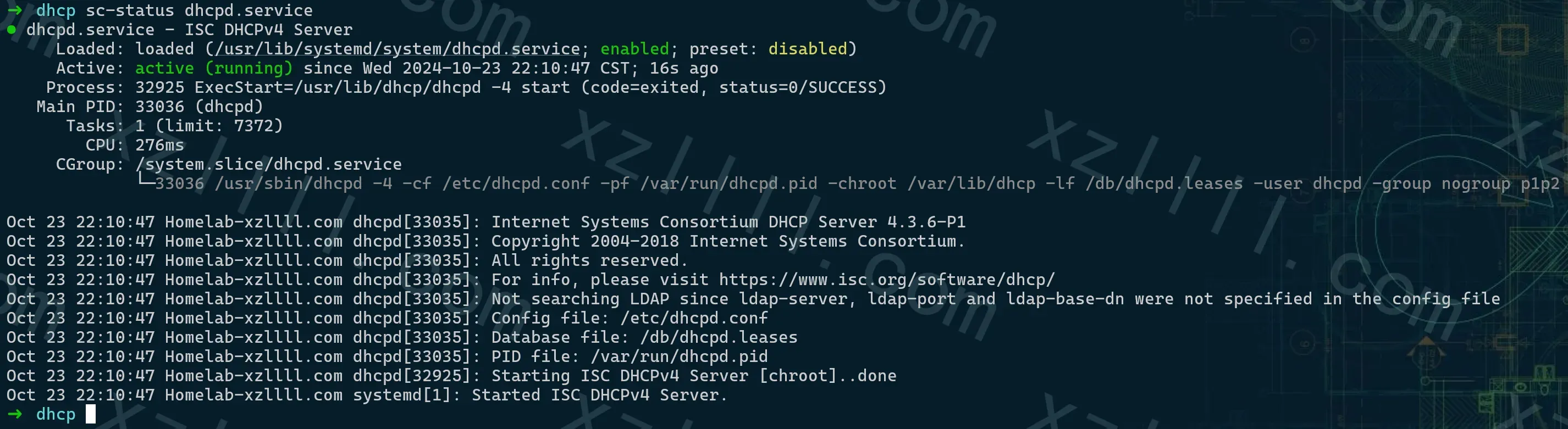
确认DHCP 服务器正常运行
systemctl status dhcpd.service
🔽 回显如下 🔽
Use | 使用
启动完成以后我们需要验证DHCP服务器是否正常工作
也就是 DHCP 协议的工作流程
🔽 DHCP 服务器日志如下 🔽
Homelab-xzllll dhcpd: DHCPDISCOVER from 5e:9c:68:bf:97:48 (Pixel-6) via p1p2
Homelab-xzllll dhcpd: DHCPOFFER on 10.7.7.71 to 5e:9c:68:bf:97:48 (Pixel-6) via p1p2
Homelab-xzllll dhcpd: DHCPREQUEST for 10.7.7.71 (10.7.7.7) from 5e:9c:68:bf:97:48 (Pixel-6) via p1p2
Homelab-xzllll dhcpd: DHCPACK on 10.7.7.71 to 5e:9c:68:bf:97:48 (Pixel-6) via p1p2

🔼 可以看到DHCP服务器正常工作 🔼
Ex | 拓展
PXE
如果局域网中有 PXE 服务器
DHCP 服务需要为 PXE 客户端提供网络配置信息 (包括 PXE 服务器的地址和启动文件的位置) 从而引导PXE客户端启动
可以将 DHCP 服务器比作一个 "网络管理员",它为 PXE 客户端("新员工")分配网络 "工位" (IP 地址) 和 "工作指南" (PXE 服务器地址和启动文件)。 PXE 客户端根据 "工作指南" 找到 "主管" (PXE 服务器) 并开始 "工作" (启动操作系统)
🔽 下方有更多PXE内容 🔽

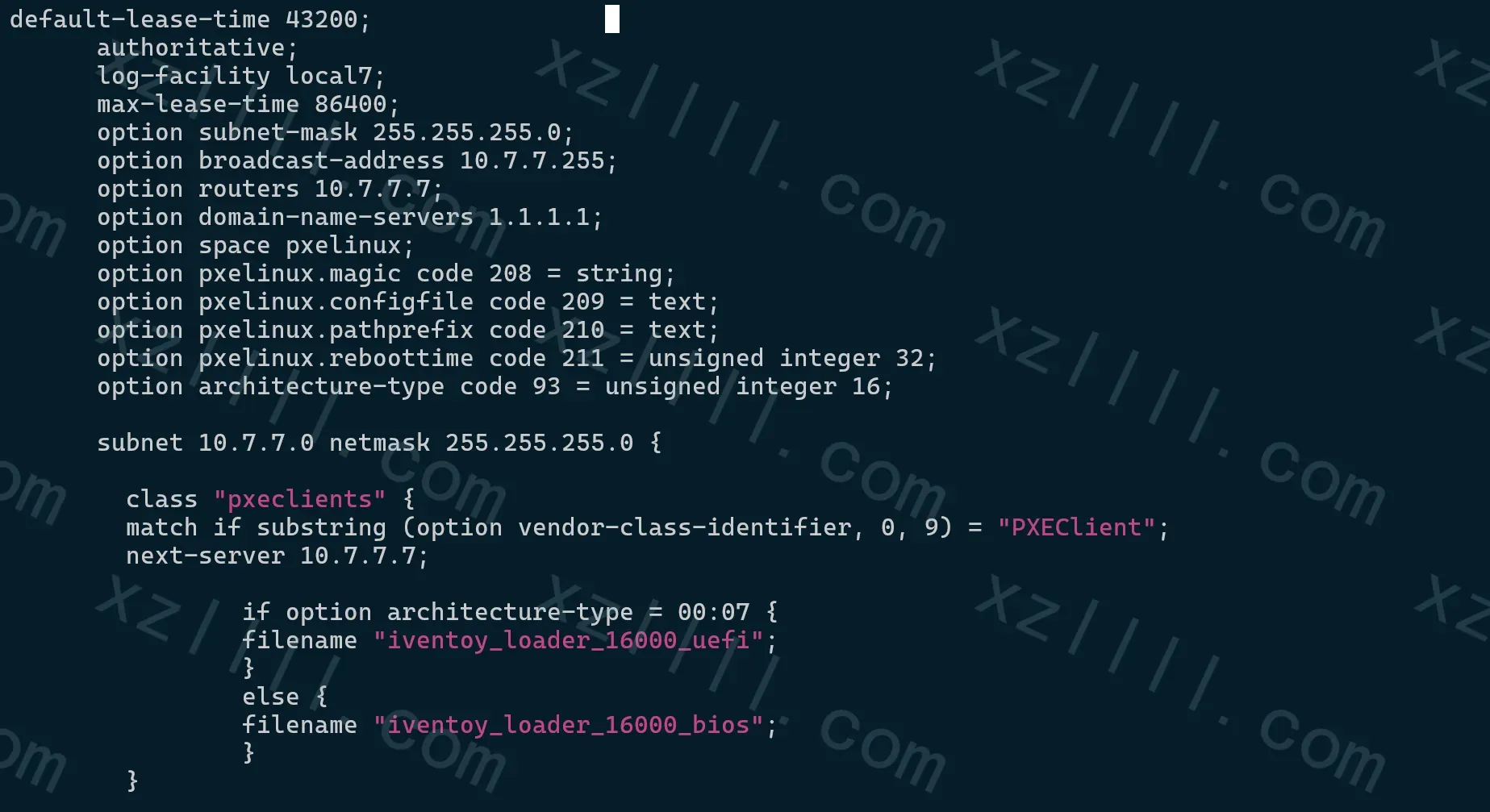
🔽 PXE配置如下 🔽
      option space pxelinux;
      option pxelinux.magic code 208 = string;
      option pxelinux.configfile code 209 = text;
      option pxelinux.pathprefix code 210 = text;
      option pxelinux.reboottime code 211 = unsigned integer 32;
      option architecture-type code 93 = unsigned integer 16;

        class "pxeclients" {
        match if substring (option vendor-class-identifier, 0, 9) = "PXEClient";
        next-server 10.7.7.7;

                if option architecture-type = 00:07 {
                filename "iventoy_loader_16000_uefi";
                }
                else {
                filename "iventoy_loader_16000_bios";
                }
        }
🔽 组合(附DHCP基础)配置如下 🔽
Pool
DHCP 中有地址池的概念
可以根据不同的MAC地址来从不同的地址池中选取IP地址分配至客户端
当使用Podman创建容器时我希望DHCP能够分配给容器IP地址
但我不希望跟局域网中的客户端共用一个地址池
🔽 配置如下 🔽
subnet 10.7.7.0 netmask 255.255.255.0 {

        class "container--mac" {
        match if substring(hardware, 1, 3) = e6:b5:a0;
        }

        pool {
        allow members of "container--mac";
        range 10.7.7.101 10.7.7.150;
        }

        pool {
        deny members of "container--mac";
        range 10.7.7.50  10.7.7.100;
        }

      }
🔽 释义如下 🔽
class "container--mac" {
    match if substring(hardware, 1, 3) = e6:b5:a0;
}
- class "container--mac"
▲ 定义了一个 DHCP 类,名称为 container--mac
- match if substring(hardware, 1, 3) = e6:b5:a0
▲ 表示匹配那些硬件地址(MAC 地址)前 3 个字节为 e6:b5:a0 的设备
这意味着所有 MAC 地址以 e6:b5:a0 开头的客户端将被归类到 container--mac 类中。
pool {
    allow members of "container--mac";
    range 10.7.7.101 10.7.7.150;
}
这个 IP 地址池只允许属于 container--mac 类的客户端使用
即 MAC 地址以 e6:b5:a0 开头的客户端可以从 10.7.7.101 到 10.7.7.150 的地址范围中获取 IP 地址
- allow members of "container--mac"
▲ 表示只有属于这个类的客户端才可以从该池中获取地址
pool {
    deny members of "container--mac";
    range 10.7.7.50  10.7.7.100;
}
这个 IP 地址池拒绝属于 container--mac 类的客户端使用
即 MAC 地址以 e6:b5:a0 开头的客户端不能从 10.7.7.50 到 10.7.7.100 的地址范围中获取 IP 地址
- deny members of "container--mac"
▲ 表示属于 container--mac 类的客户端将被排除在该池之外
🔽 整体逻辑如下 🔽
如果客户端的 MAC 地址以 e6:b5:a0 开头
那么它会被分配到 10.7.7.101 到 10.7.7.150 的地址范围
如果客户端的 MAC 地址不以 e6:b5:a0 开头
它将从 10.7.7.50 到 10.7.7.100 的范围内分配 IP 地址
IP&MAC
更近一步来说
当使用Podman创建容器时我希望DHCP能够分配给容器指定的IP地址
做IP/MAC绑定
🔽 配置如下 🔽
subnet 10.7.7.0 netmask 255.255.255.0 {

        class "container--mac" {
        match if substring(hardware, 1, 3) = e6:b5:a0;
        }

        pool {
        allow members of "container--mac";
        range 10.7.7.101 10.7.7.150;
        }

        pool {
        deny members of "container--mac";
        range 10.7.7.50  10.7.7.100;
        }

      }
        host container01 {
        hardware ethernet e6:b5:a0:12:34:01;
        fixed-address 10.7.7.102;
        }
🔽 释义如下 🔽
这段配置的作用是为 MAC 地址为 e6:b5:a0:12:34:01 的设备(命名为 container01)分配一个固定的 IP 地址 10.7.7.102。不论何时该设备请求 IP,DHCP 服务器都会分配该固定地址,而不是从动态范围内随机分配
🔽 这里注意 host container01 的放置位置
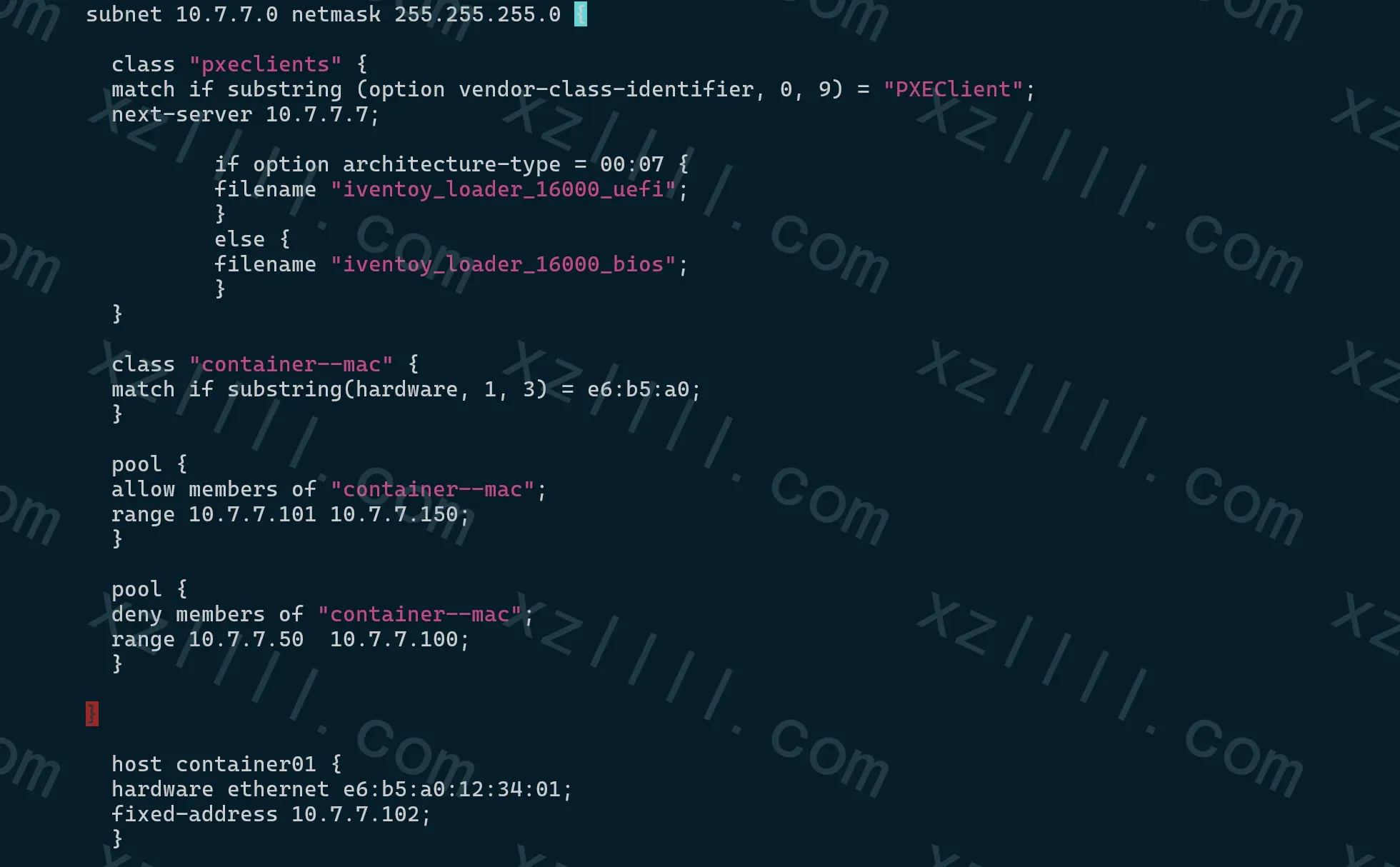
DHCP + PXE + Pool + IP&MAC
恰好你跟我一样有上述所有的需求
这里我贴一下我的完整配置文件以防Copy时没注意格式
default-lease-time 43200;
      authoritative;
      log-facility local7;
      max-lease-time 86400;
      option subnet-mask 255.255.255.0;
      option broadcast-address 10.7.7.255;
      option routers 10.7.7.7;
      option domain-name-servers 1.1.1.1;
      option space pxelinux;
      option pxelinux.magic code 208 = string;
      option pxelinux.configfile code 209 = text;
      option pxelinux.pathprefix code 210 = text;
      option pxelinux.reboottime code 211 = unsigned integer 32;
      option architecture-type code 93 = unsigned integer 16;

      subnet 10.7.7.0 netmask 255.255.255.0 {

        class "pxeclients" {
        match if substring (option vendor-class-identifier, 0, 9) = "PXEClient";
        next-server 10.7.7.7;

                if option architecture-type = 00:07 {
                filename "iventoy_loader_16000_uefi";
                }
                else {
                filename "iventoy_loader_16000_bios";
                }
        }

        class "container--mac" {
        match if substring(hardware, 1, 3) = e6:b5:a0;
        }

        pool {
        allow members of "container--mac";
        range 10.7.7.101 10.7.7.150;
        }

        pool {
        deny members of "container--mac";
        range 10.7.7.50  10.7.7.100;
        }

      }

        host container01 {
        hardware ethernet e6:b5:a0:12:34:01;
        fixed-address 10.7.7.102;
        }