openSUSE-migration-tool 系统升级(Leap 16.0)和跨版本迁移工具使用体验
1. First | 序
opensuse-migration-tool
是为了简化 openSUSE 发行版内的升级和跨发行版迁移而创建的工具
旨在为了简化(跨版本)升级,如 Leap 迁移至 SLES
此篇记录使用此工具升级 Leap 15.6 至 16.0
New migration tool for Leap
A SUSE Hack Week 24 Project


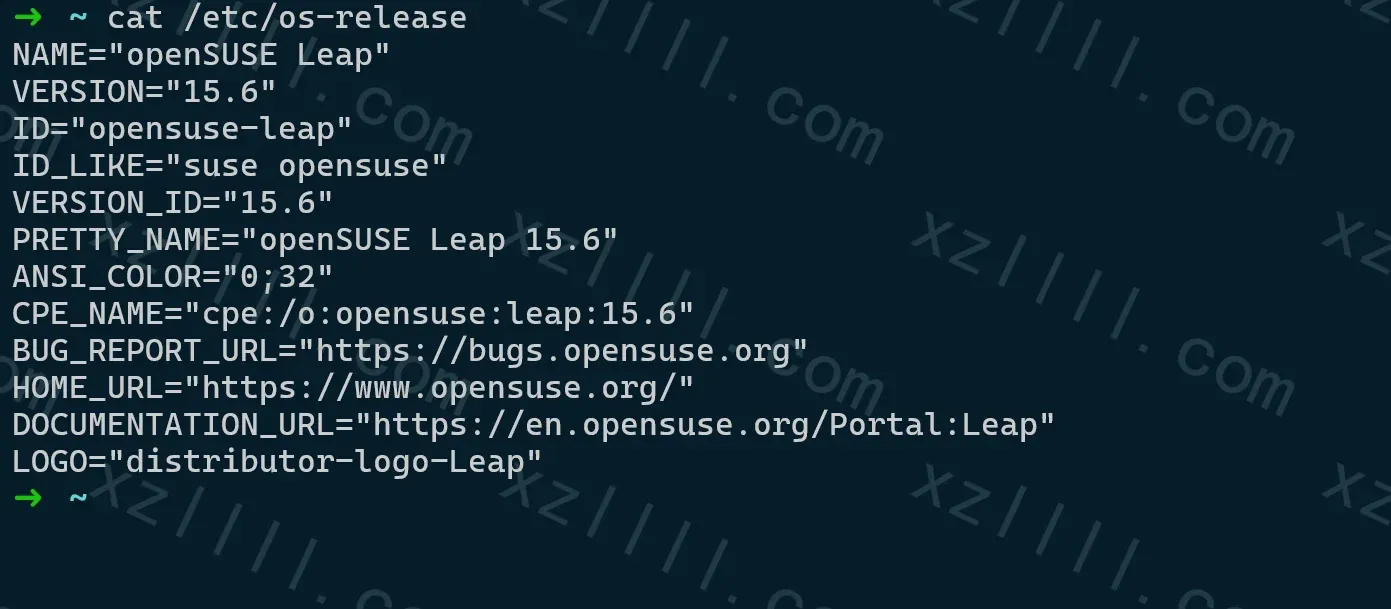
1.1. Version | 版本
-
OS
1.2. Knowledgebase | 知识库
-
该项目仍处于试验阶段
-
预计支持场景
Leap -> Leap n+1, Leap -> SLES, Leap -> Tumbleweed, Leap -> Slowroll Leap Micro -> Leap Micro n+1, Leap Micro -> MicroOS Slowroll -> Tumbleweed Tumbleweed -> Slowroll -
不支持降级
-
不支持从滚动版至不可变系统(not altered during runtime)
如 Tumbleweed -> MicroOS
-
若将服务升级至 Leap 16.0 需要注意
Leap 16.0 不支持 在 Server 不支持 x86-64-v2 的服务器上运行
opensuse-migration-tool 工具运行时会 自动检测
Leap 16.0 will no longer run on machines that do not support x86_64-v2
-
目前 Leap 16.0 仍处于 beta 状态
-
你仍可以使用如下工具检测 x86-64 等级
GitHub - HenrikBengtsson/x86-64-level: x86-64-level - Get the x86-64 Microarchitecture Level on the Current Machine
x86-64-level - Get the x86-64 Microarchitecture Level on the Current Machine - HenrikBengtsson/x86-64-level
 HenrikBengtsson

2. Procedure | 步骤
-
在 Leap、Tumbleweed、Slowroll 等常规系统上执行
$ sudo zypper in opensuse-migration-tool $ opensuse-migration-tool --dry-run $ sudo opensuse-migration-tool $ reboot -
在 Leap Micro 等不可变系统上执行
$ sudo transactional-update shell
$ sudo zypper in opensuse-migration-tool
$ opensuse-migration-tool --dry-run
$ sudo opensuse-migration-tool
$ exit && reboot # into new snapshot
3. Demo | 示例
升级 Leap 15.6 至 16.0
-
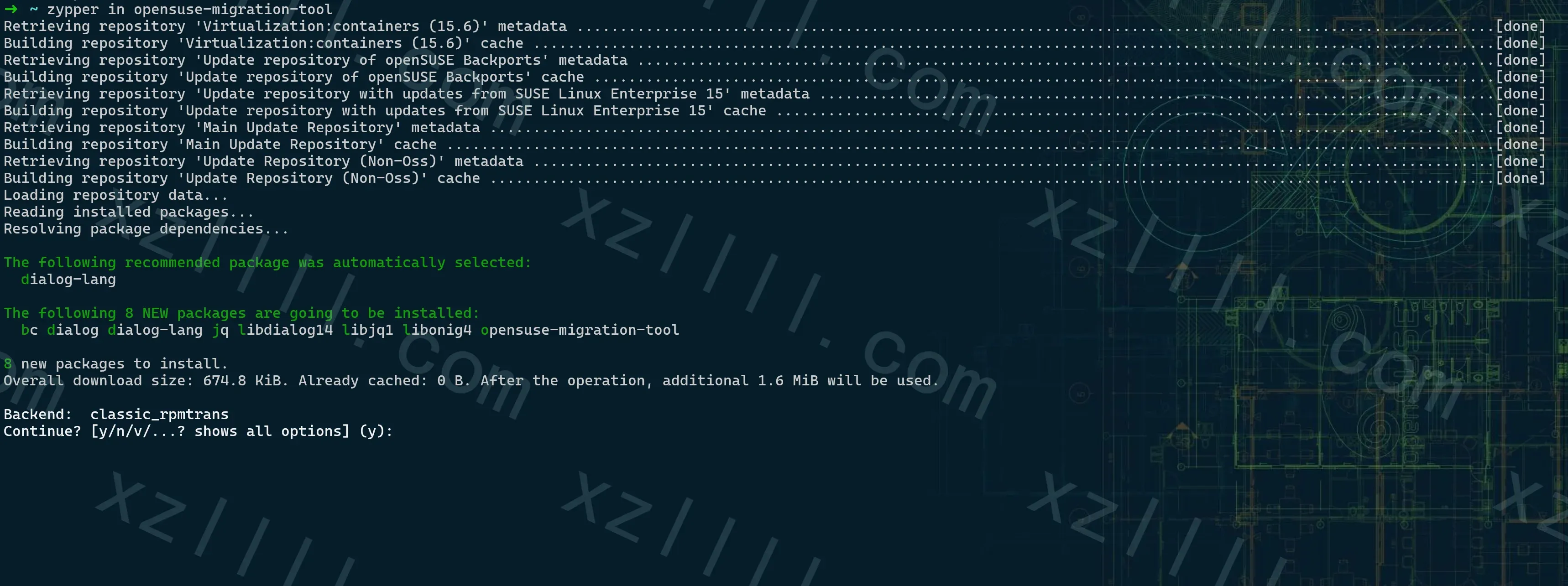
安装 opensuse-migration-tool
sudo zypper in opensuse-migration-toolDemo Img
-
尝试运行
opensuse-migration-tool --dry-runDemo Img
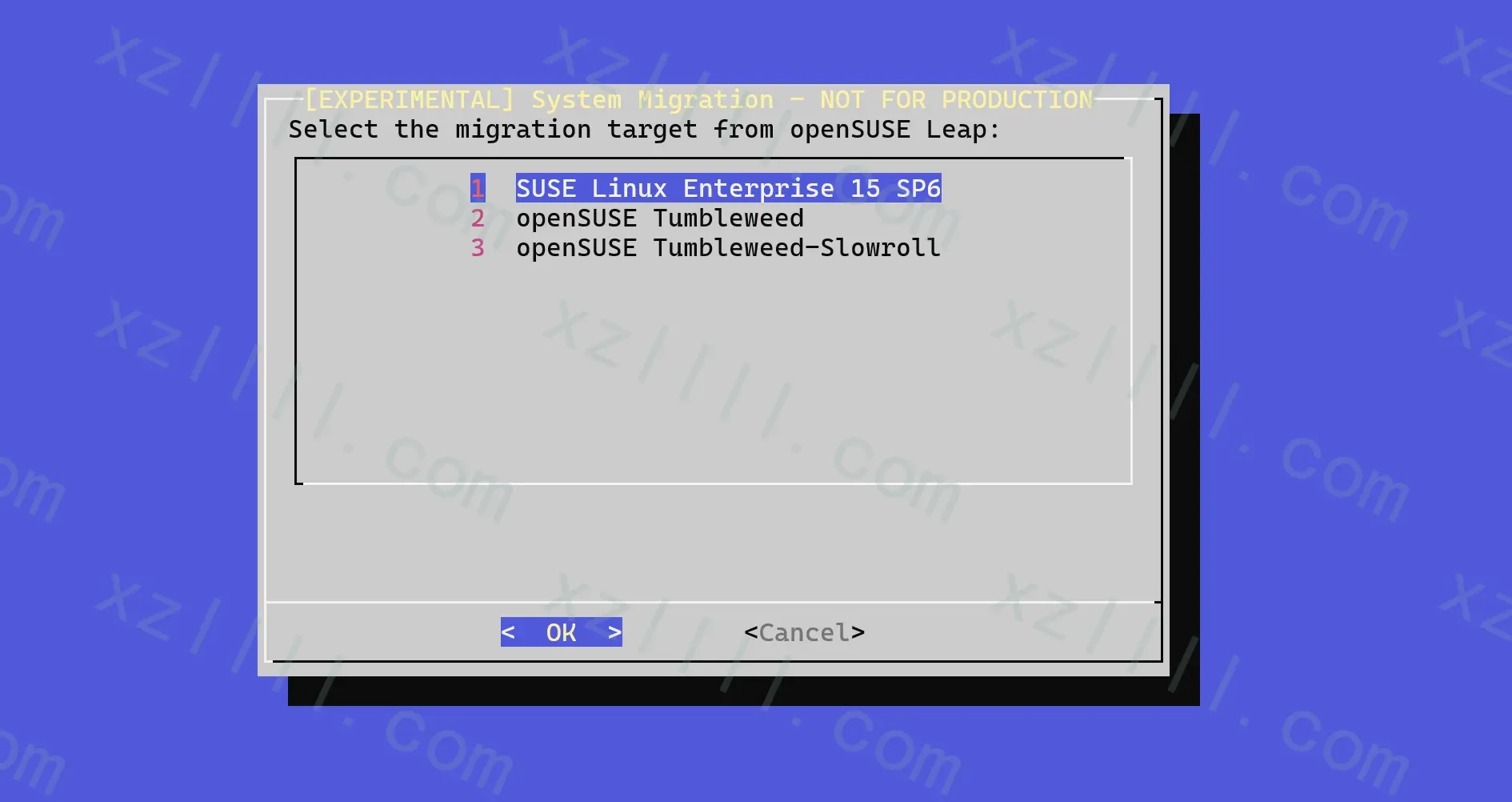
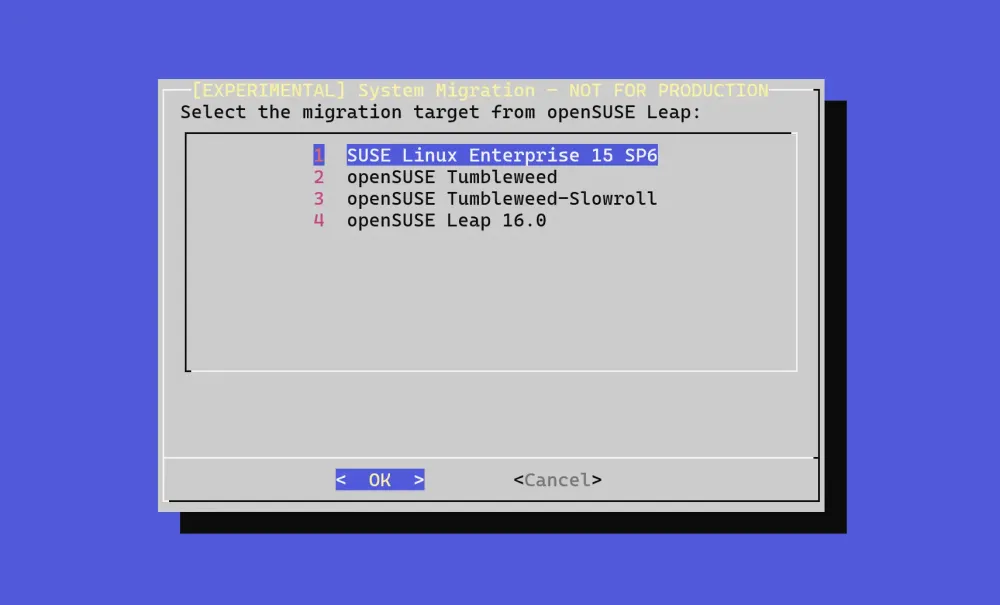
默认情况下 opensuse-migration-tool 并不显示测试版系统
但因为 Leap 16.0 截至目前处于 beta 状态
所以我们需要加上
--pre-release参数即:
opensuse-migration-tool --pre-release --dry-run
-
实际运行
确认参数没问题后我们可以实际运行此工具
opensuse-migration-tool --pre-release
opensuse-migration-tool 工具做以下操作
Selected option: openSUSE Leap 16.0 Would execute: echo Upgrading to openSUSE Leap 16.0 CPU supports x86_64-v2 Would execute: zypper addrepo -f https://download.opensuse.org/distribution/leap/16.0/repo/oss tmp-migration-tool-repo Would execute: zypper in -y --from tmp-migration-tool-repo openSUSE-repos-Leap Would execute: zypper removerepo tmp-migration-tool-repo Would execute: zypper refs Would execute: zypper --releasever 16.0 dup -y --force-resolution --allow-vendor-change --download-in-advance Migration process completed. A reboot is recommended. -
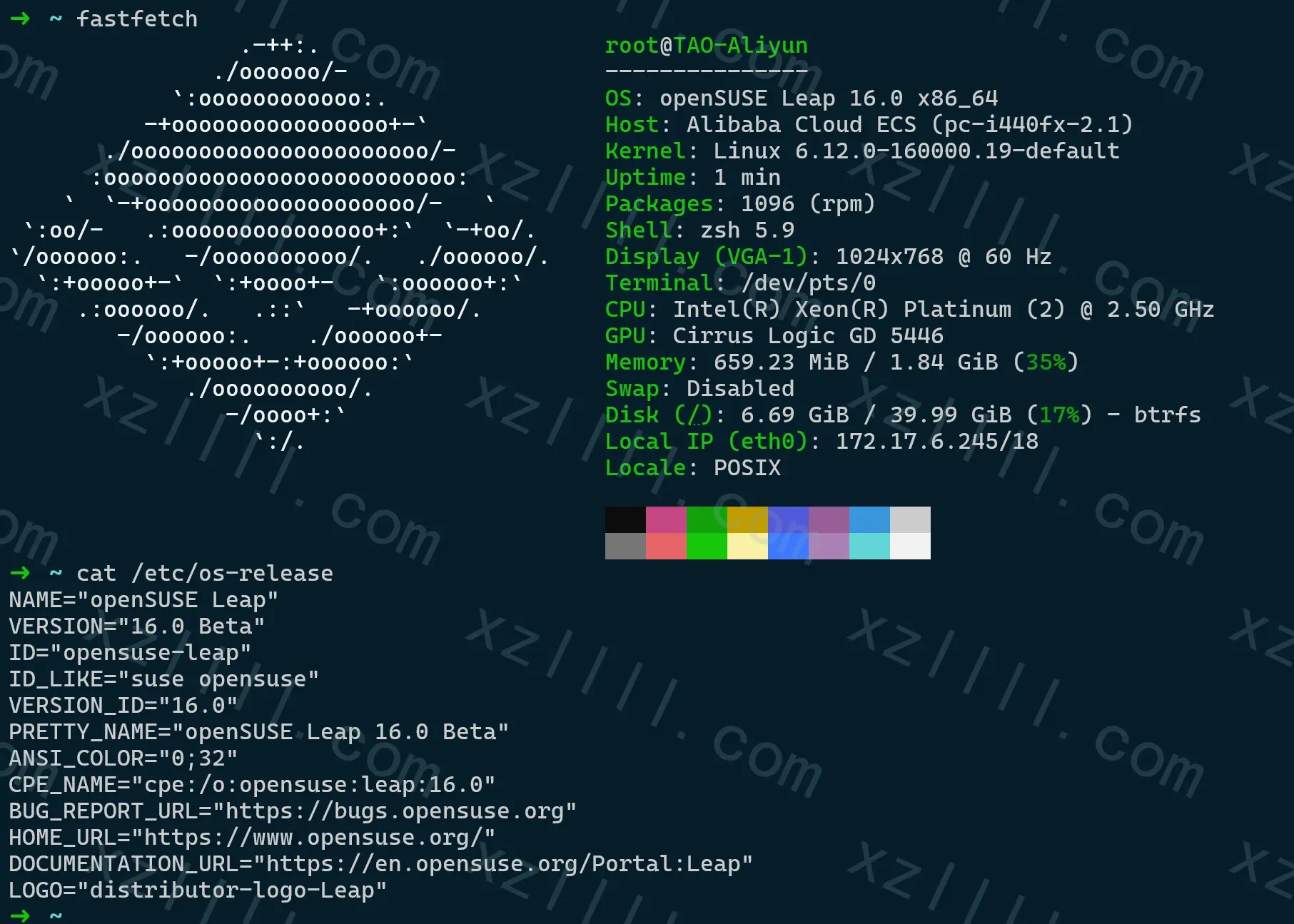
验证
Thanks & Copy
opensuse-migration-tool
GitHub - openSUSE/opensuse-migration-tool: openSUSE migration tool
openSUSE migration tool. Contribute to openSUSE/opensuse-migration-tool development by creating an account on GitHub.
 openSUSE